How to Install OpenClaw on a New Mac
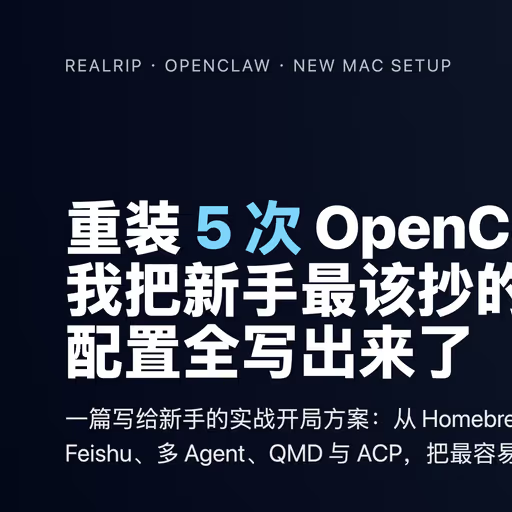
This is a practical guide to set up OpenClaw on a new Mac: build a solid system foundation, configure Node and GitHub, then finish onboarding and daily-use settings.
1. System Foundation: CLI and Package Manager
Install Xcode Command Line Tools
xcode-select --installInstall Homebrew
/bin/bash -c "$(curl -fsSL https://raw.githubusercontent.com/Homebrew/install/HEAD/install.sh)"Configure Homebrew Environment (Apple Silicon)
echo 'eval "$(/opt/homebrew/bin/brew shellenv)"' >> ~/.zprofileeval "$(/opt/homebrew/bin/brew shellenv)"2. Node.js and pnpm Setup
Install fnm and enable auto-switching
brew install fnmecho 'eval "$(fnm env --use-on-cd --shell zsh)"' >> ~/.zshrcsource ~/.zshrcInstall Node LTS and set default
fnm install --ltsfnm default lts-latestEnable Corepack and activate pnpm
corepack enablecorepack prepare pnpm@latest --activateVerify key binary paths
which nodewhich pnpmnode -vpnpm -vUse these absolute paths later in launchd/LaunchAgent configurations.
3. GitHub SSH Setup (ED25519 Recommended)
Confirm system SSH
which sshGenerate key
ssh-keygen -t ed25519 -C "your_email@example.com"Configure ~/.ssh/config
Host *  AddKeysToAgent yes  UseKeychain yes
Host github.com  HostName ssh.github.com  Port 443  User git  IdentityFile ~/.ssh/id_ed25519  ProxyCommand nc -X 5 -x 127.0.0.1:7897 %h %p
Remove ProxyCommand if no local proxy is used.
Upload pubkey and verify
pbcopy < ~/.ssh/id_ed25519.pubssh -T git@github.com4. Install OpenClaw and Useful CLIs
Optional model-side CLIs
pnpm add -g @openai/codexpnpm add -g @google/gemini-cliInstall OpenClaw
pnpm add -g openclaw@latestpnpm approve-builds -gopenclaw onboard --install-daemonRecommended onboarding choices:
- Mode:
QuickStart - Provider:
OpenAI - Hooks: all enabled
5. Key Post-Install Settings
Web UI entry points
- First time: tokenized URL from onboarding
- Daily:
http://127.0.0.1:18789/
Suggested auto-update config
"update": { "channel": "stable", "auto": { "enabled": true, "stableDelayHours": 6, "stableJitterHours": 12, "betaCheckIntervalHours": 1 }}Suggested model fallback config
"agents": { "defaults": { "model": { "primary": "openai-codex/gpt-5.3-codex", "fallbacks": [ "bailian/qwen3.5-plus", "bailian/qwen3-coder-plus" ] } }}6. Troubleshooting Checklist
pnpm not found in daemon
Check LaunchAgent ProgramArguments and use absolute paths.
Native module build failure
Run pnpm approve-builds -g and ensure scripts are not blocked.
GitHub SSH timeout
Use ssh.github.com:443 and verify proxy port config.
Environment drift
Run this before work:
node -v && pnpm -v && openclaw --versionWith these steps done, OpenClaw on a new Mac is stable and production-ready.
Published at: Mar 3, 2026 · Modified at: Mar 3, 2026